Chuẩn bị
- Tạo bảng trong DynamoDB bằng câu lệnh sau:
aws cloudformation create-stack \
    --stack-name AWSAppSyncTutorialForAmazonDynamoDB \
    --template-url https://s3.us-west-2.amazonaws.com/awsappsync/resources/dynamodb/AmazonDynamoDBCFTemplate.yaml \
    --capabilities CAPABILITY_NAMED_IAM
Sau khi chạy câu lệnh này một bảng AppSyncTutorial-Post được tạo
- Tạo GraphQL API bằng bảng điều khiển AWS AppSync
Mở bảng điều khiển của AWS AppSync
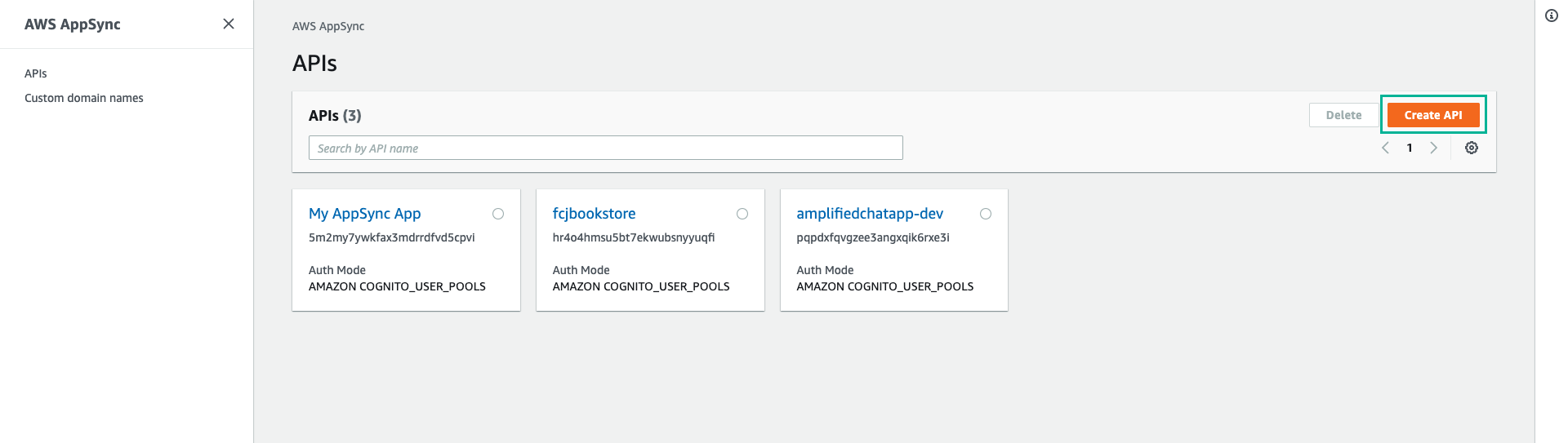
Ấn Create API, chọn GraphQL APIs
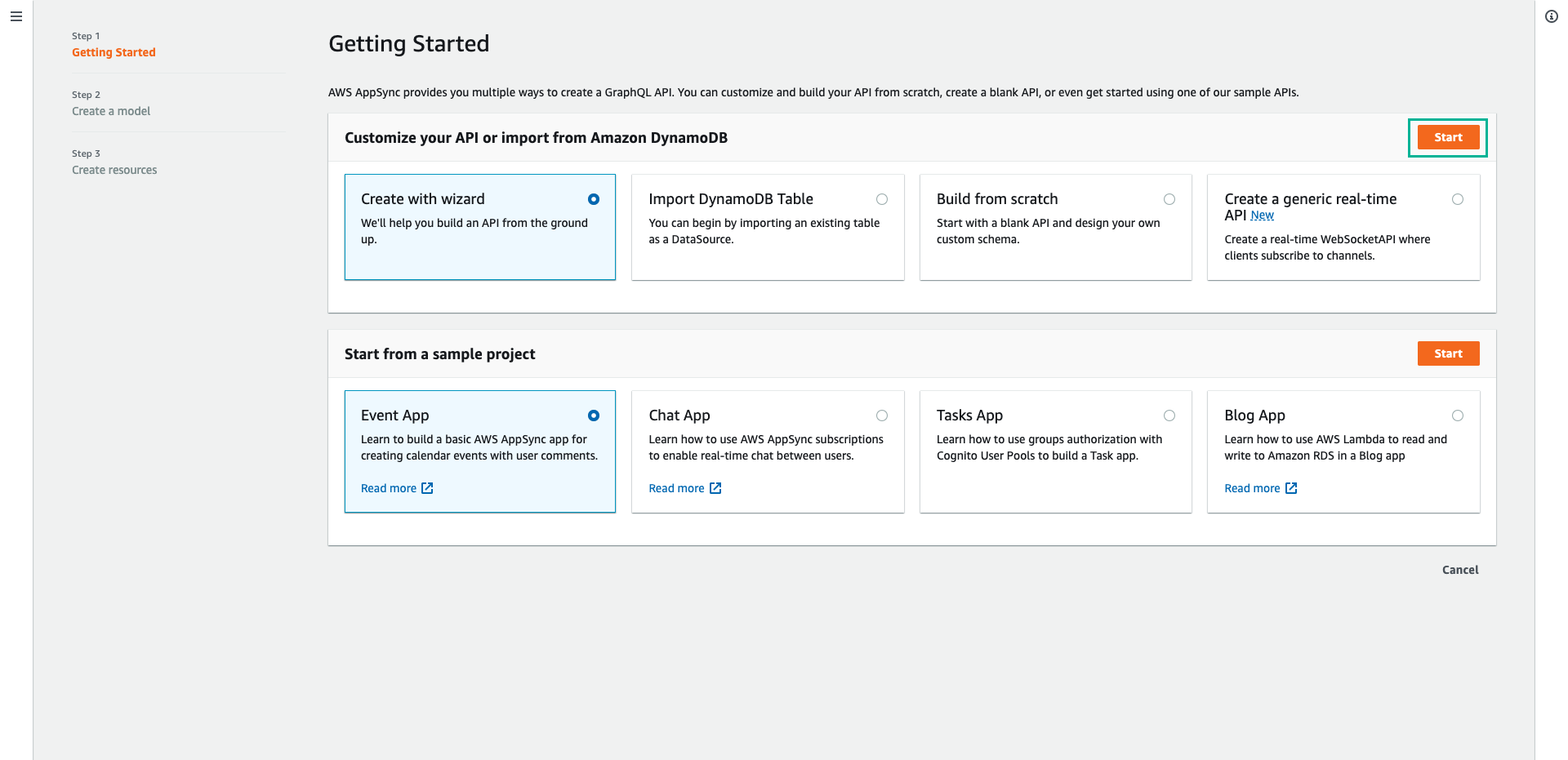
- Trong phần GraphQL APIs, chọn Design from scratch, sau đó ấn Next
- Tại bước Specify API details, nhập tên cho API (ví dụ:
AWSAppSyncTutorial), sau đó ấn Next
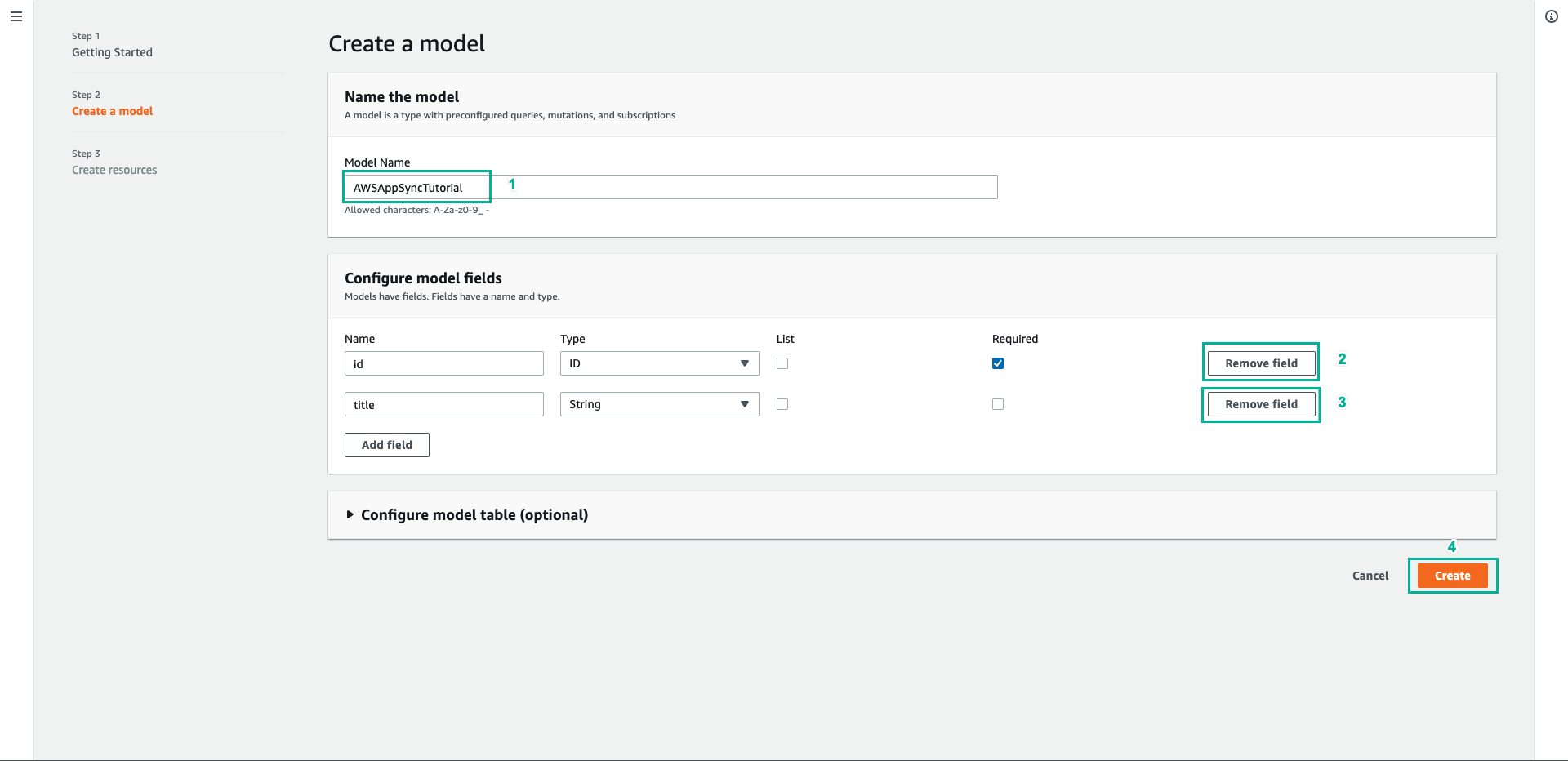
- Tại bước Specify GraphQL resources, tiếp tục ấn Next
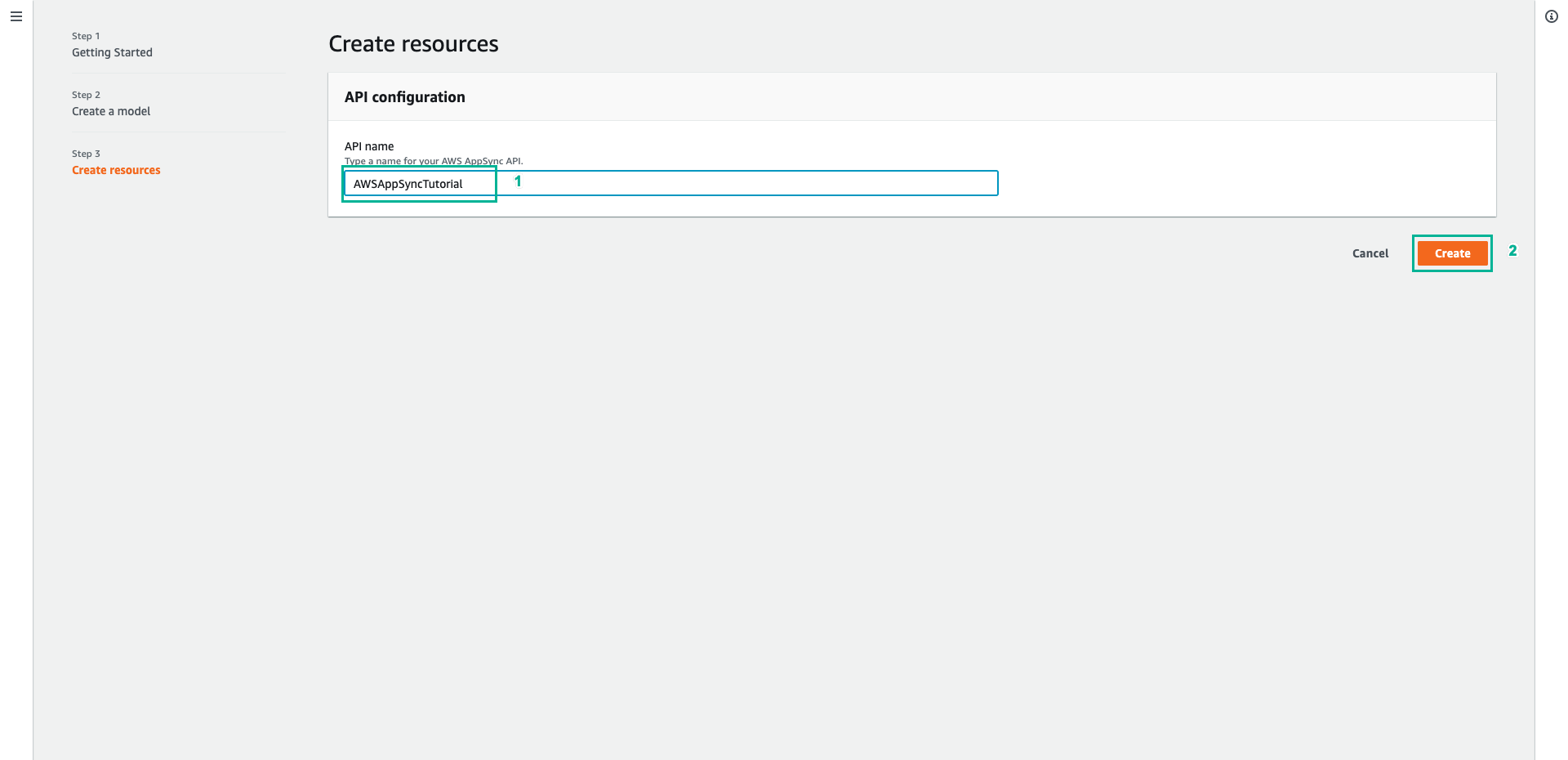
- Tại bước Review and create, ấn Create API
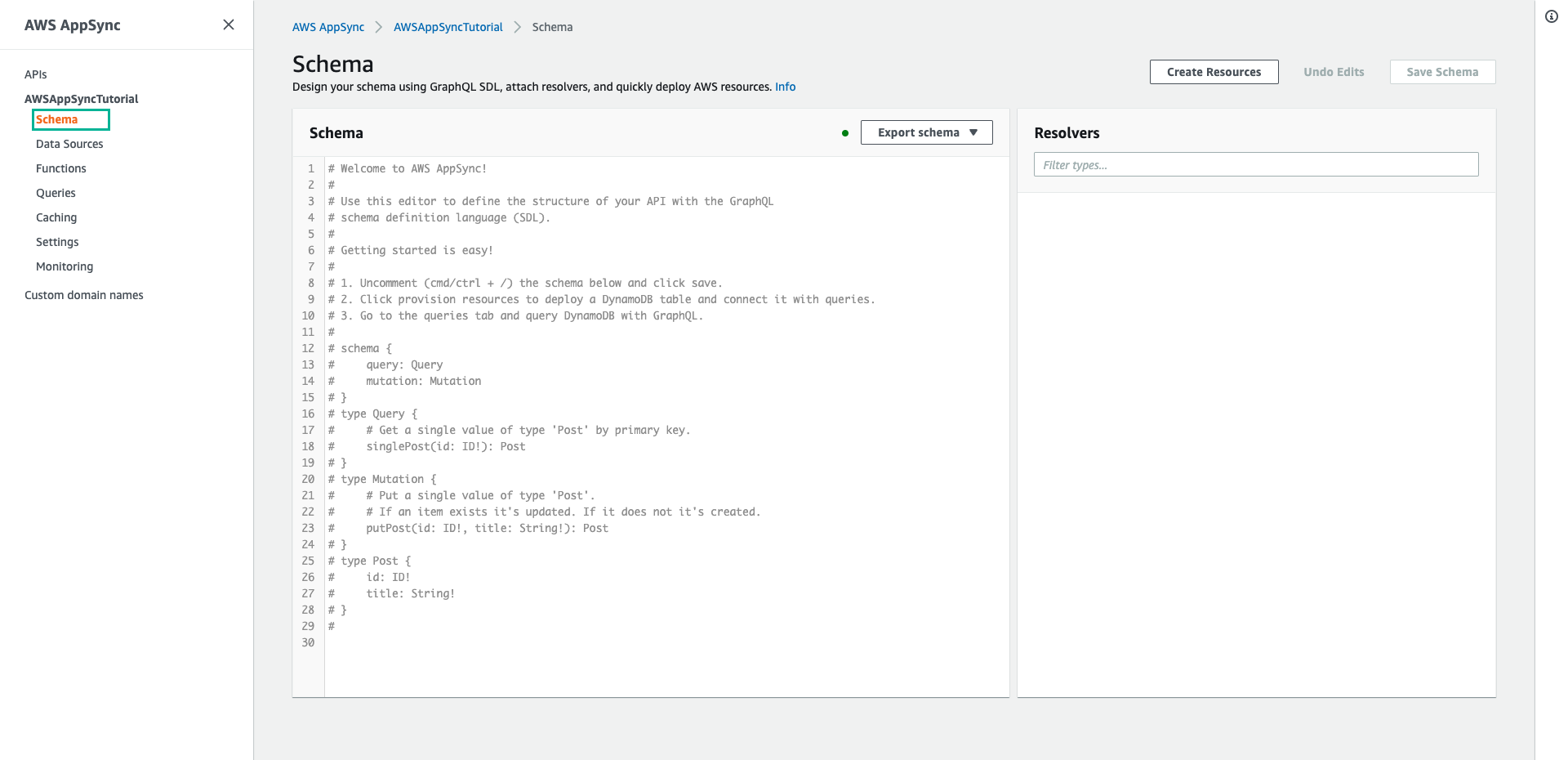
- Sau khi API được tạo thành công, chọn tab Schema ở menu phía bên trái
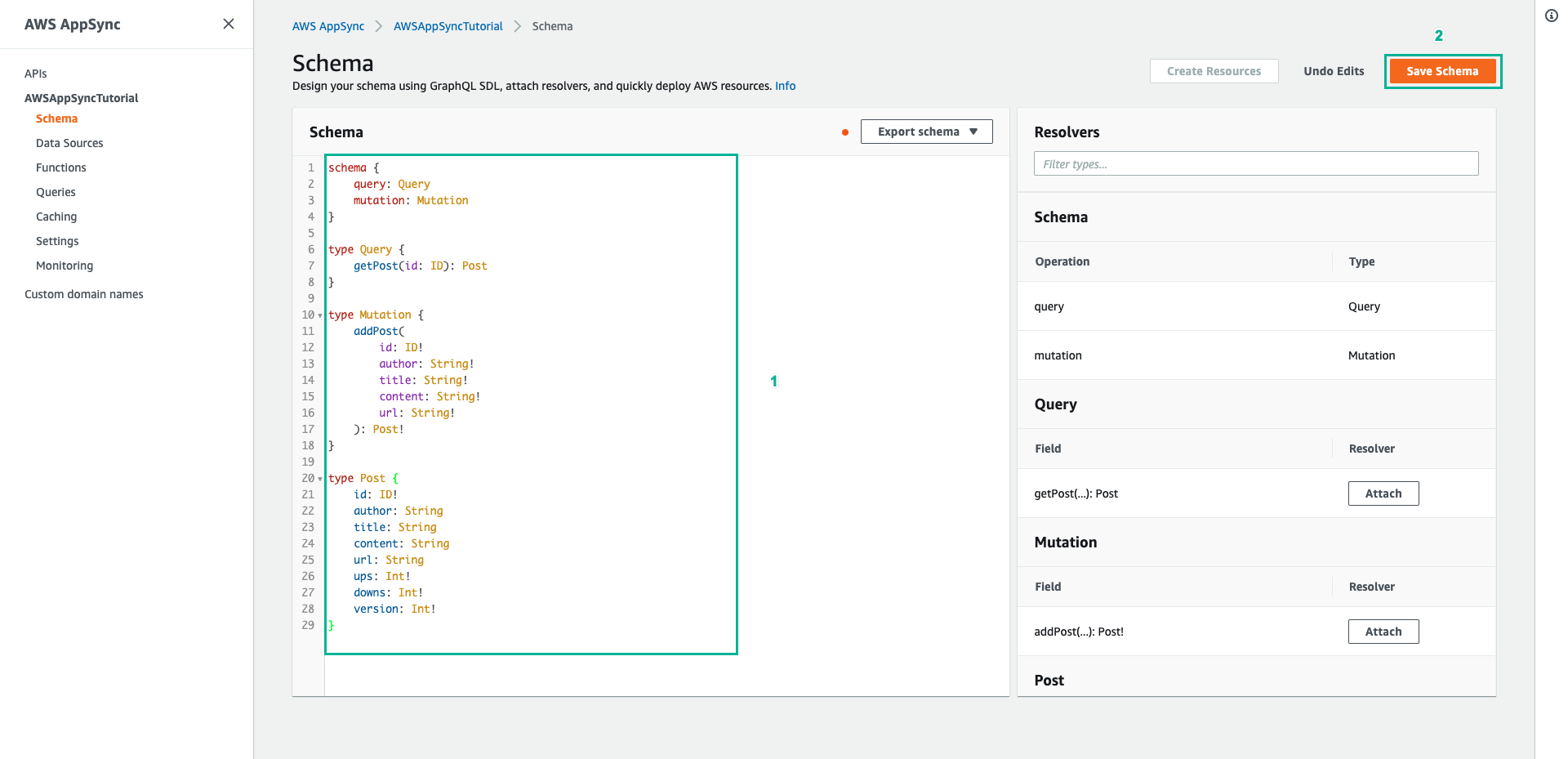
- Thay thế toàn bộ nội dung mặc định bằng mã dưới đây, sau đó ấn Save Schema
schema {
    query: Query
    mutation: Mutation
}

type Query {
    getPost(id: ID): Post
}

type Mutation {
    addPost(
        id: ID!
        author: String!
        title: String!
        content: String!
        url: String!
    ): Post!
}

type Post {
    id: ID!
    author: String
    title: String
    content: String
    url: String
    ups: Int!
    downs: Int!
    version: Int!
}
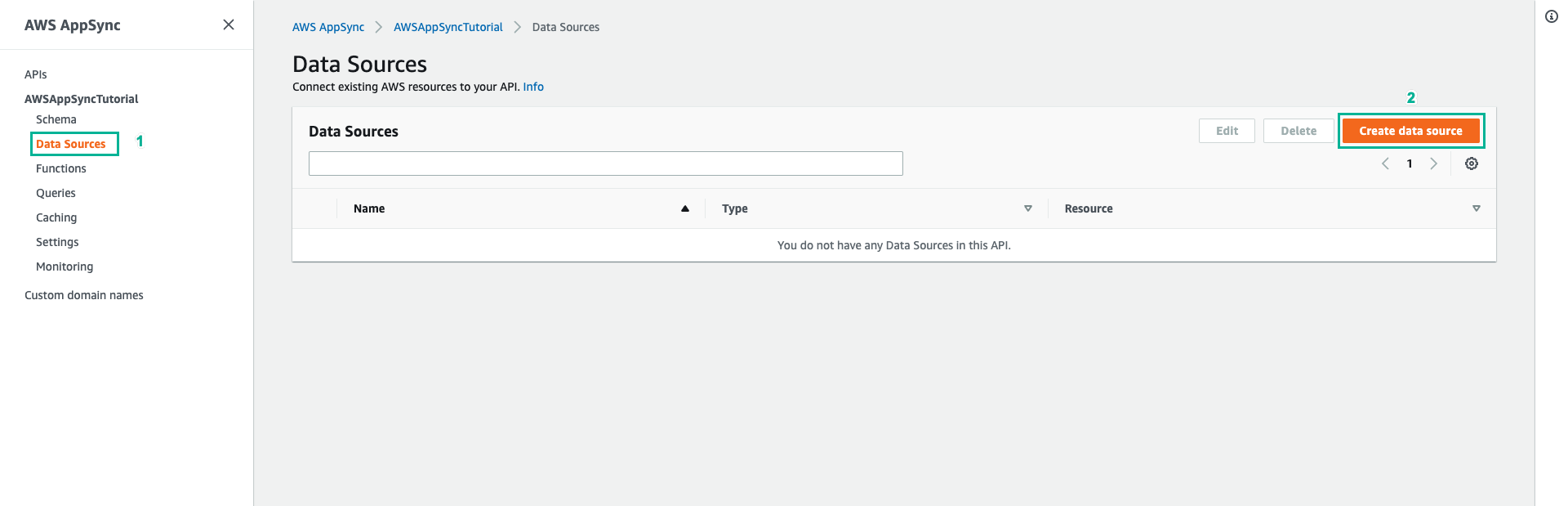
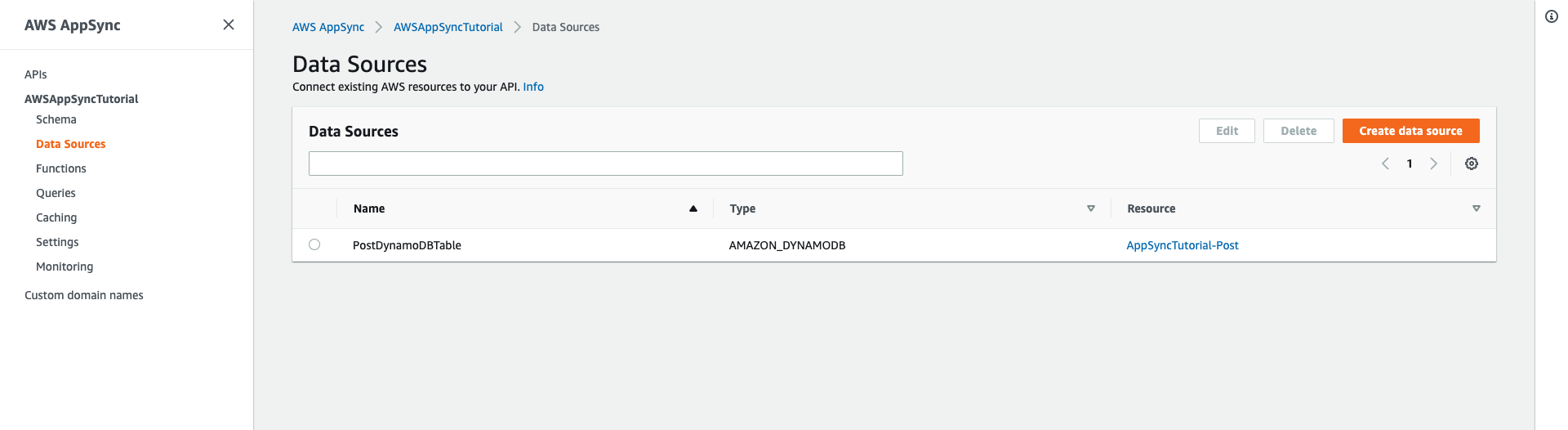
- Tiếp theo, để kết nối API với DynamoDB, chọn tab Data Sources ở menu phía bên trái
- Ấn Create data source
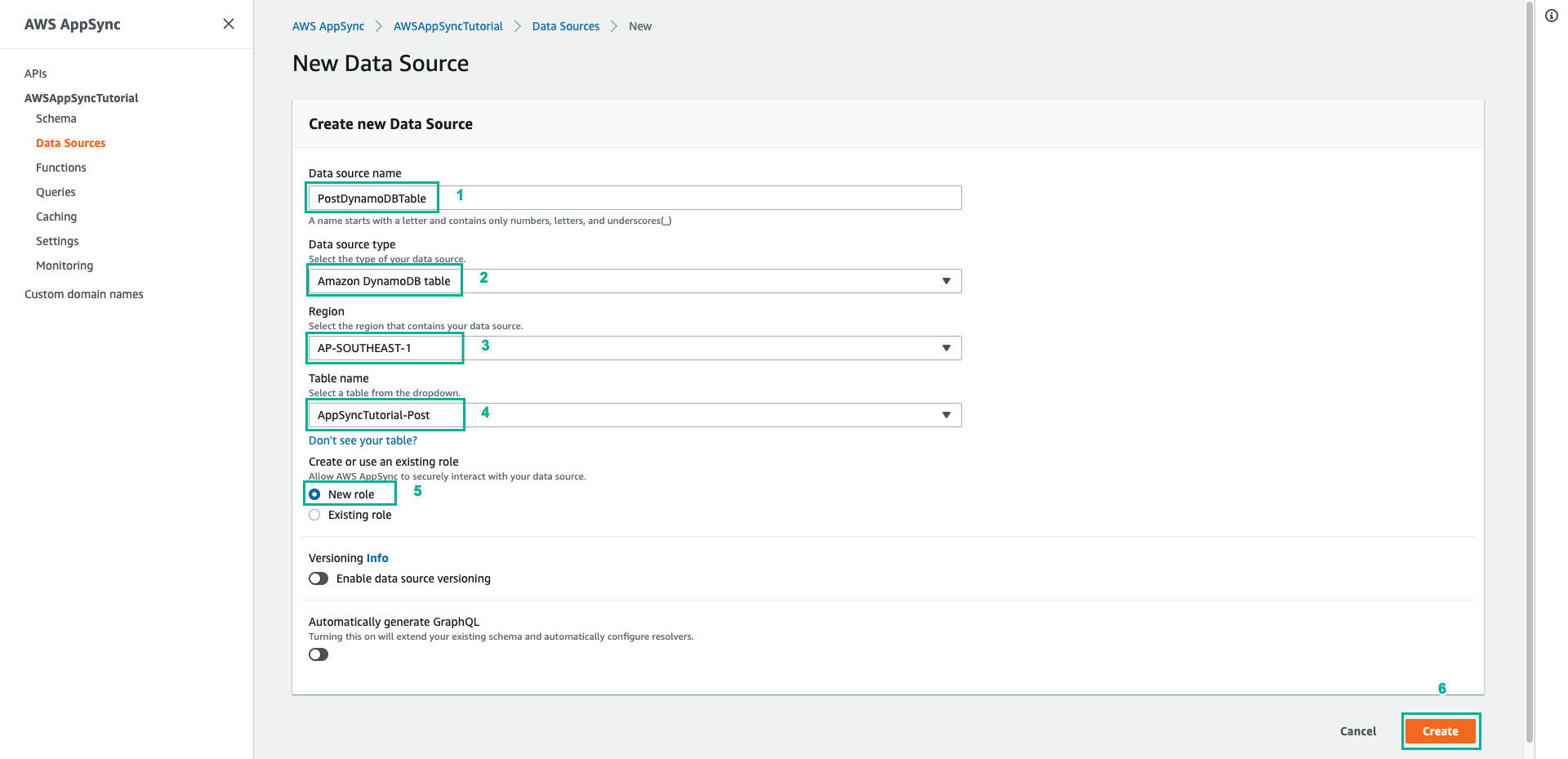
- Cấu hình Data source như sau:
- Data source name: Nhập
PostDynamoDBTable - Data source type: Chọn Amazon DynamoDB table
- Region: Chọn vùng chứa dữ liệu (Region) mà bạn đã chạy template CloudFormation
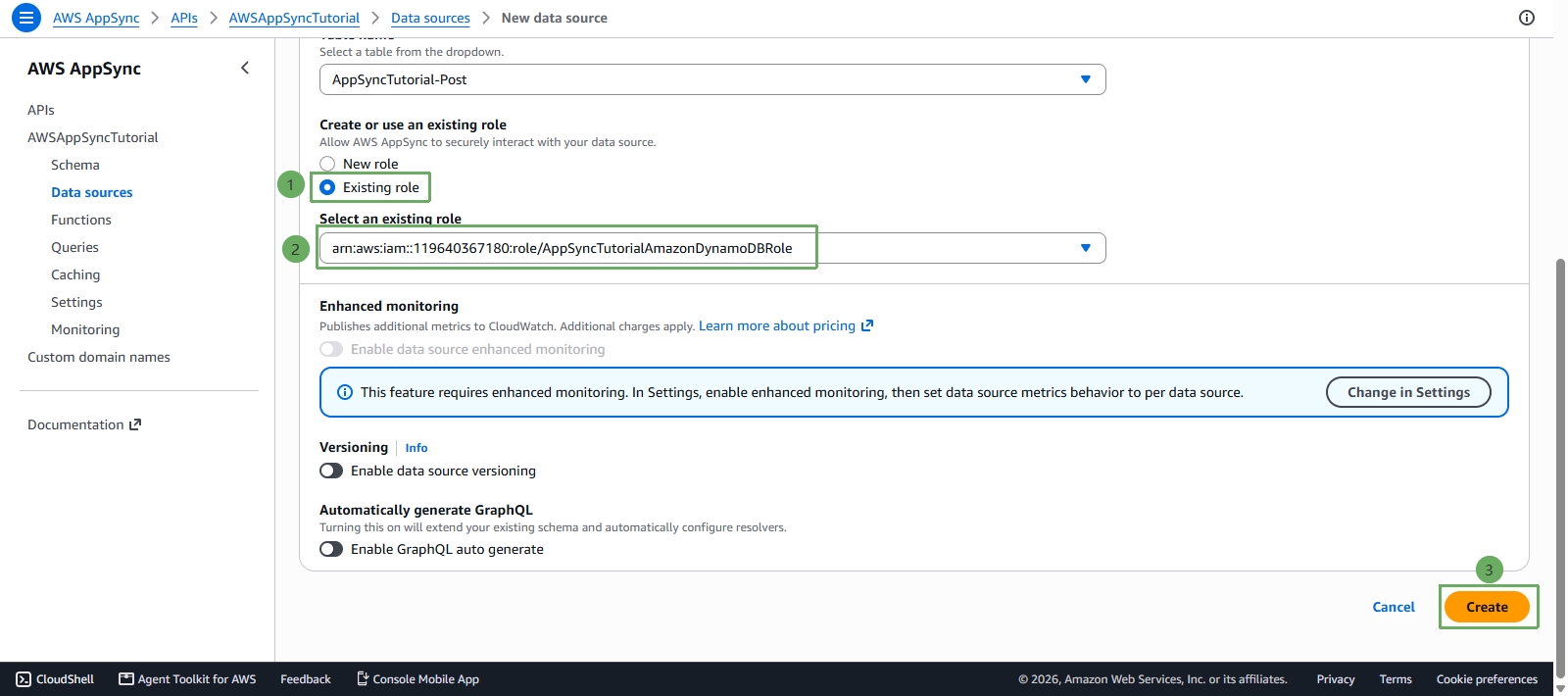
- Table name: Chọn bảng AppSyncTutorial-Post
- IAM role: Chọn Choose an existing role, sau đó tìm và chọn role đã được CloudFormation tạo sẵn là AppSyncTutorialAmazonDynamoDBRole
- Ấn Create để hoàn tất tạo Data source.
- Data source name: Nhập