Quét toàn bảng
Trong bước này chúng ta sẽ quét toàn bộ dữ liệu trong bảng của DynamoDB.
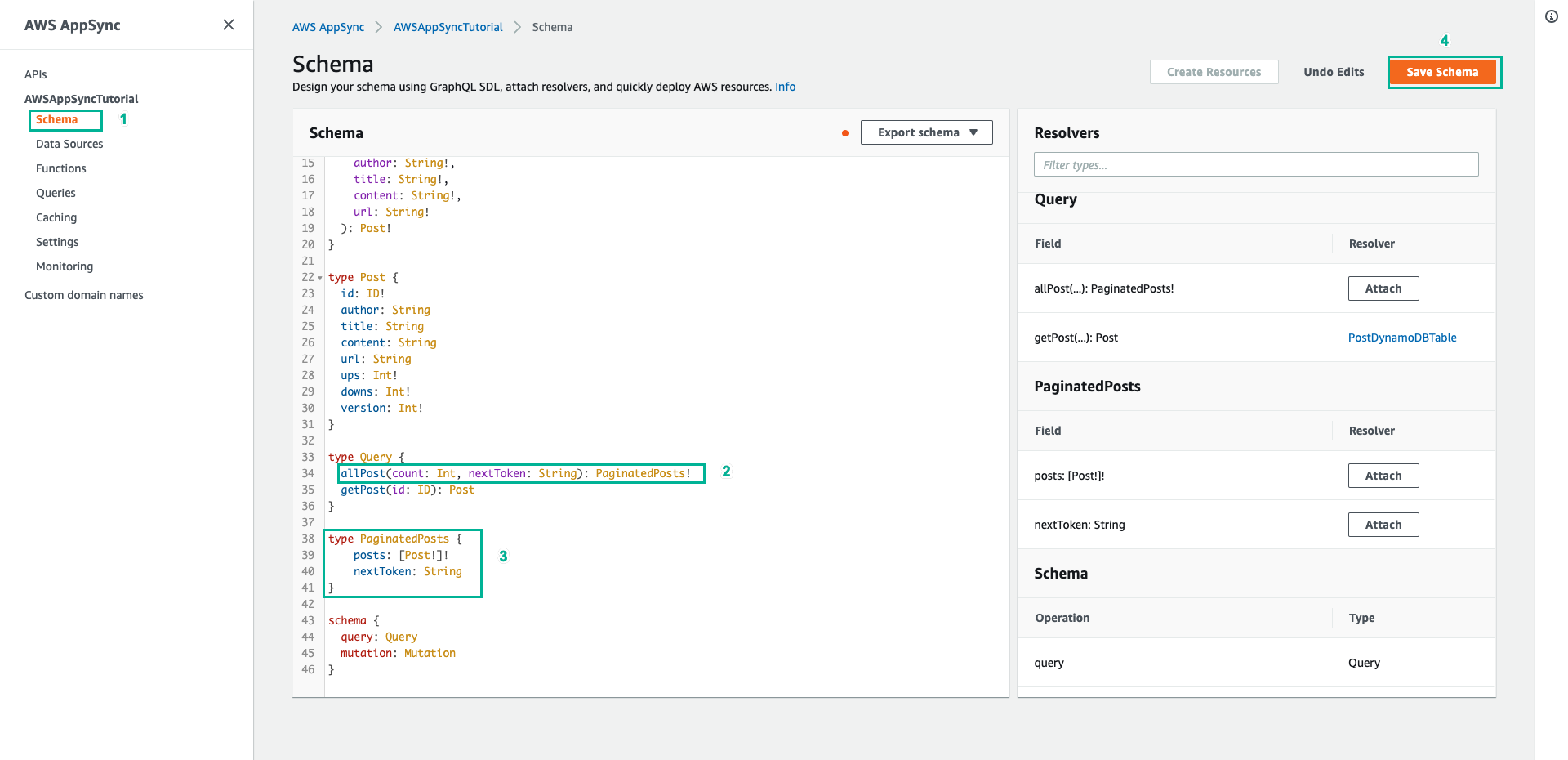
- Chọn tab Schema
- Thêm dòng dưới đây vào kiểu Query để thêm một truy vấn mới là allPost
allPost(count: Int, nextToken: String): PaginatedPosts!
- Thêm kiểu PaginationPosts mới
type PaginatedPosts {
    posts: [Post!]!
    nextToken: String
}
- Sau đó ấn Save Schema
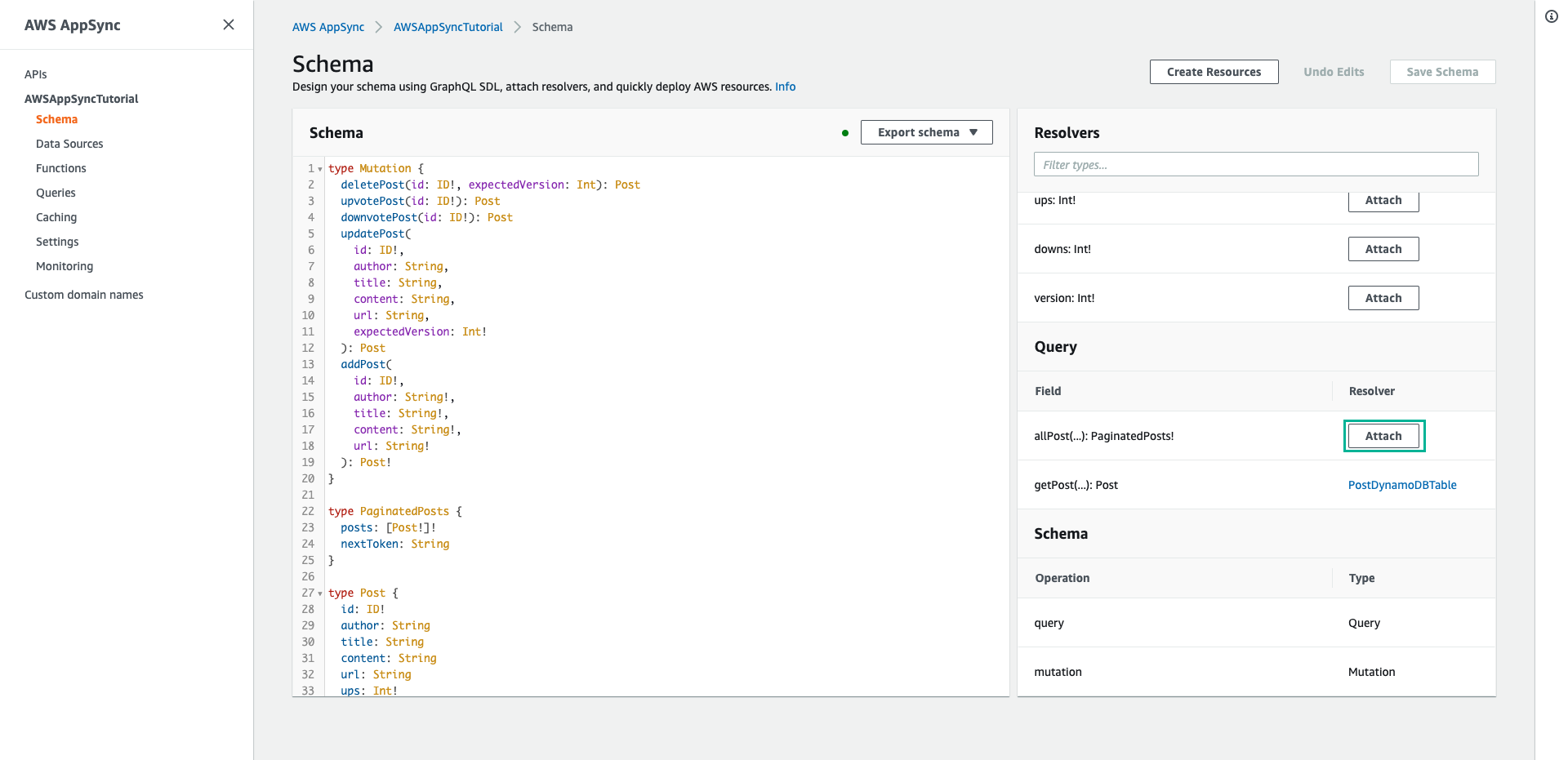
- Tiếp theo trong ngăn Resolvers ở bên phải, tìm trường allPost thuộc kiểu Query, sau đó chọn Attach
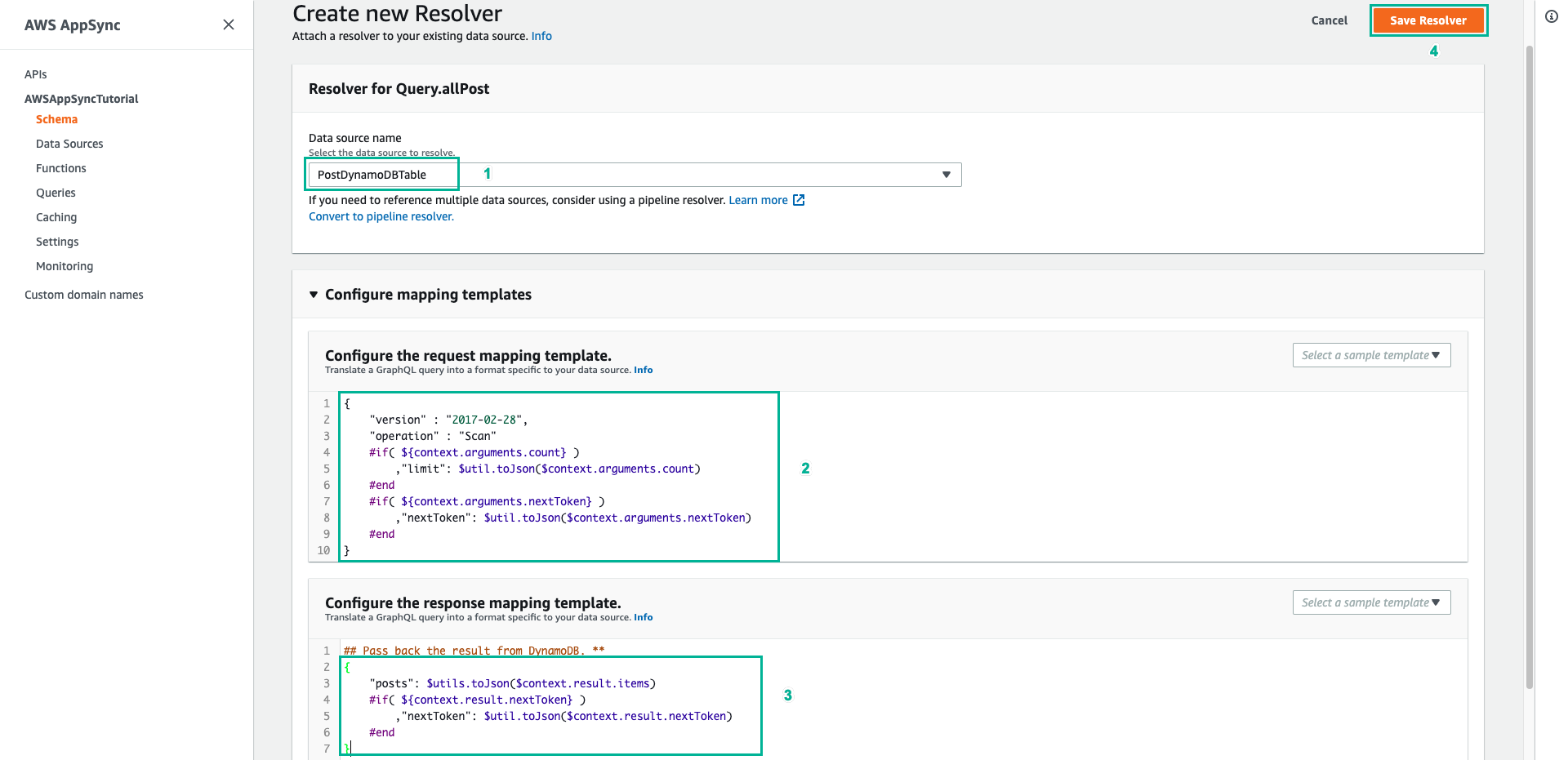
- Tại trang cấu hình Attach resolver:
- Resolver type: Chọn Unit resolver
- Resolver runtime: Chọn Velocity Template Language (VTL)
- Data source name: Chọn PostDynamoDBTable
- Ấn nút Create màu cam.
- Tại trang soạn thảo mã của Resolver vừa tạo:
- Xóa mã mặc định và dán nội dung dưới đây vào phần Configure the request mapping template (Mẫu ánh xạ yêu cầu):
{
    "version" : "2017-02-28",
    "operation" : "Scan"
    #if( ${context.arguments.count} )
        ,"limit": $util.toJson($context.arguments.count)
    #end
    #if( ${context.arguments.nextToken} )
        ,"nextToken": $util.toJson($context.arguments.nextToken)
    #end
}
Resolver này có 2 đối số đầu vào là count - chỉ định số lượng mục tối đa sẽ trả về trong một lệnh gọi và nextToken - có thể sử dụng để truy xuất kết quả tiếp theo.
- Kéo xuống dưới, xóa mã mặc định và dán nội dung dưới đây vào mục Configure the response mapping template (Mẫu ánh xạ phản hồi):
#if($context.error)
  $util.error($context.error.message, $context.error.type)
#end
{
    "posts": $utils.toJson($context.result.items)
    #if( ${context.result.nextToken} )
        ,"nextToken": $util.toJson($context.result.nextToken)
    #end
}
Kết quả truy vấn trả về là một PaginatedPosts, chứa danh sách các bài đăng và pagination token. Shape của đối tượng này khác với những gì được trả về từ AWS AppSync DynamoDB Resolver.
- Sau đó ấn Save ở góc trang để lưu lại
- Chọn tab Queries ở menu bên trái
- Xóa mã mặc định, dán đoạn lệnh dưới đây vào phần Queries để thêm một số bài đăng mẫu vào bảng:
mutation addPost {
  post1: addPost(id:"1" author: "AUTHORNAME" title: "A series of posts, Volume 1" content: "Some content" url: "https://aws.amazon.com/appsync/" ) { title }
  post2: addPost(id:"2" author: "AUTHORNAME" title: "A series of posts, Volume 2" content: "Some content" url: "https://aws.amazon.com/appsync/" ) { title }
  post3: addPost(id:"3" author: "AUTHORNAME" title: "A series of posts, Volume 3" content: "Some content" url: "https://aws.amazon.com/appsync/" ) { title }
  post4: addPost(id:"4" author: "AUTHORNAME" title: "A series of posts, Volume 4" content: "Some content" url: "https://aws.amazon.com/appsync/" ) { title }
  post5: addPost(id:"5" author: "AUTHORNAME" title: "A series of posts, Volume 5" content: "Some content" url: "https://aws.amazon.com/appsync/" ) { title }
  post6: addPost(id:"6" author: "AUTHORNAME" title: "A series of posts, Volume 6" content: "Some content" url: "https://aws.amazon.com/appsync/" ) { title }
  post7: addPost(id:"7" author: "AUTHORNAME" title: "A series of posts, Volume 7" content: "Some content" url: "https://aws.amazon.com/appsync/" ) { title }
  post8: addPost(id:"8" author: "AUTHORNAME" title: "A series of posts, Volume 8" content: "Some content" url: "https://aws.amazon.com/appsync/" ) { title }
  post9: addPost(id:"9" author: "AUTHORNAME" title: "A series of posts, Volume 9" content: "Some content" url: "https://aws.amazon.com/appsync/" ) { title }
}

query scanTable {
  allPost(count: 3) {
    posts {
      id
      title
      author
    }
    nextToken
  }
}
- Sau đó ấn nút Run (biểu tượng Play màu cam), chọn addPost (nếu có tùy chọn) để chạy.
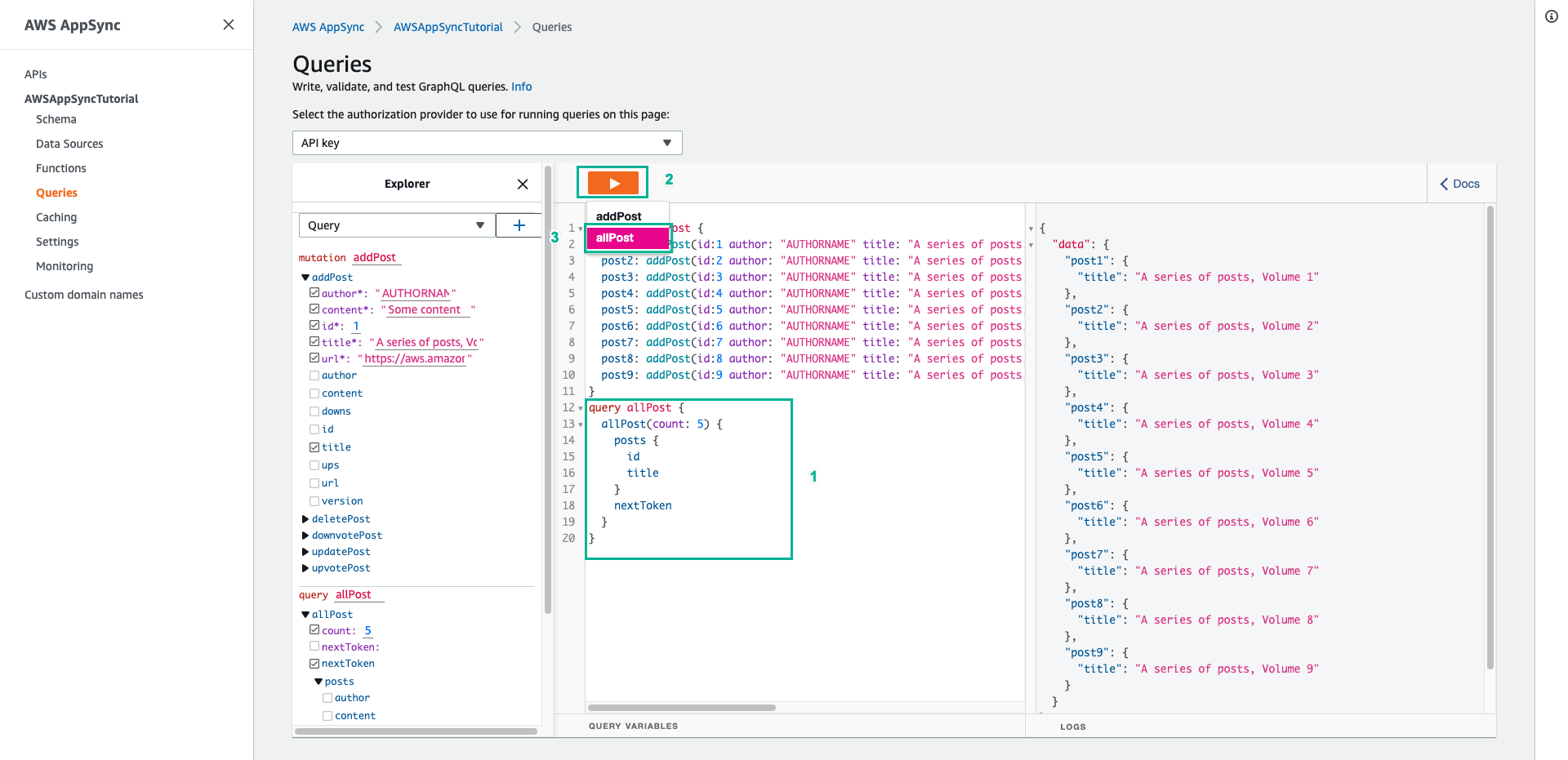
- Bây giờ chúng ta sẽ thử quét bảng. Ấn nút Run (biểu tượng Play màu cam), chọn scanTable (nếu có tùy chọn). Kết quả sẽ trả về tối đa 3 bài đăng kèm theo một
nextTokenđể lấy các trang tiếp theo.
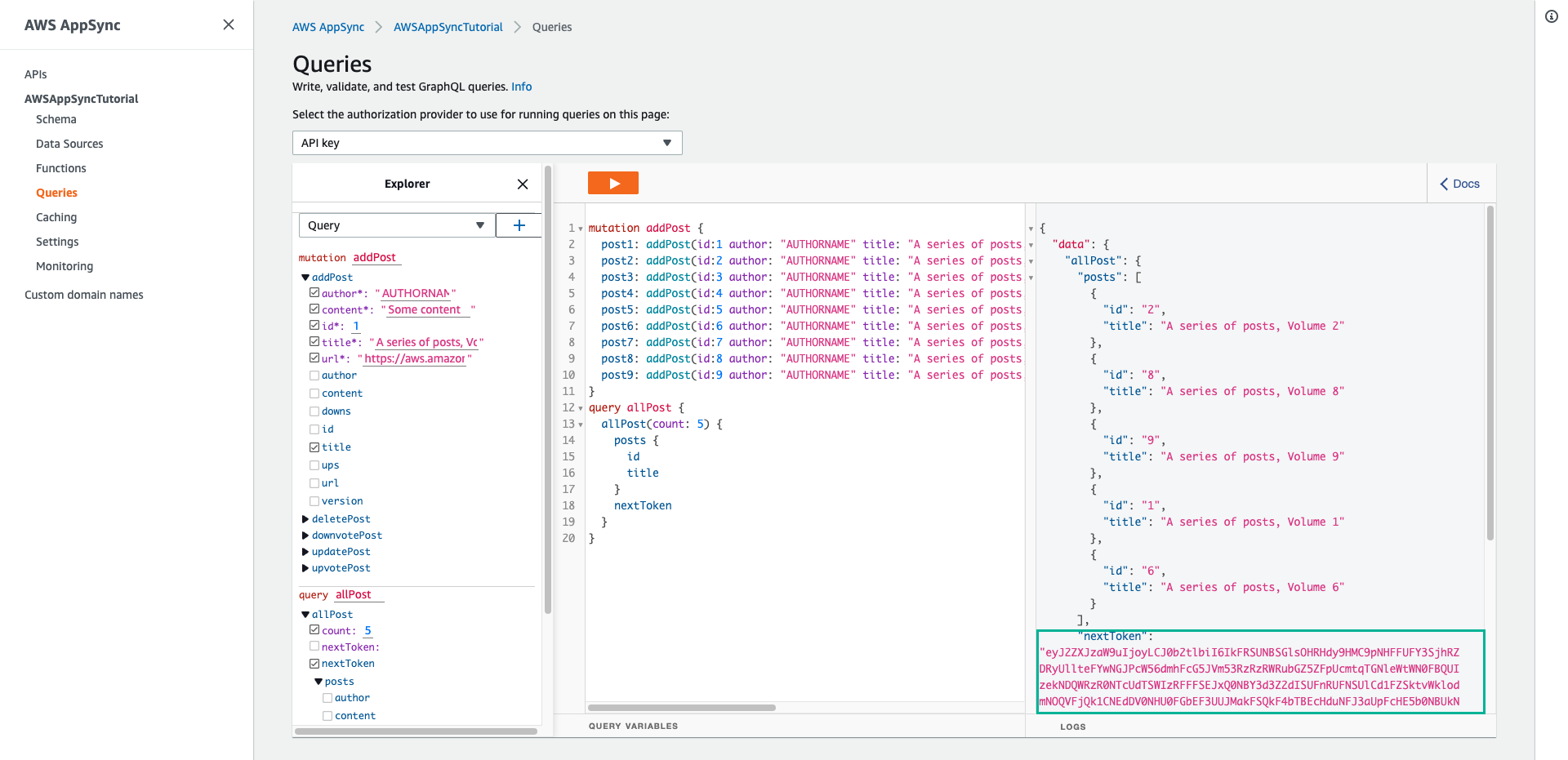
Sao chép giá trị của trường nextToken được trả về (đây là một đoạn mã chuỗi dài).
Thêm trường nextToken vào câu lệnh truy vấn allPost, sau đó gán chuỗi giá trị mà bạn vừa sao chép cho nó:
query scanTable {
  allPost(count: 3, nextToken: "GIÁ_TRỊ_BẠN_VỪA_SAO_CHÉP") {
    posts {
      id
      title
      author
    }
    nextToken
  }
}
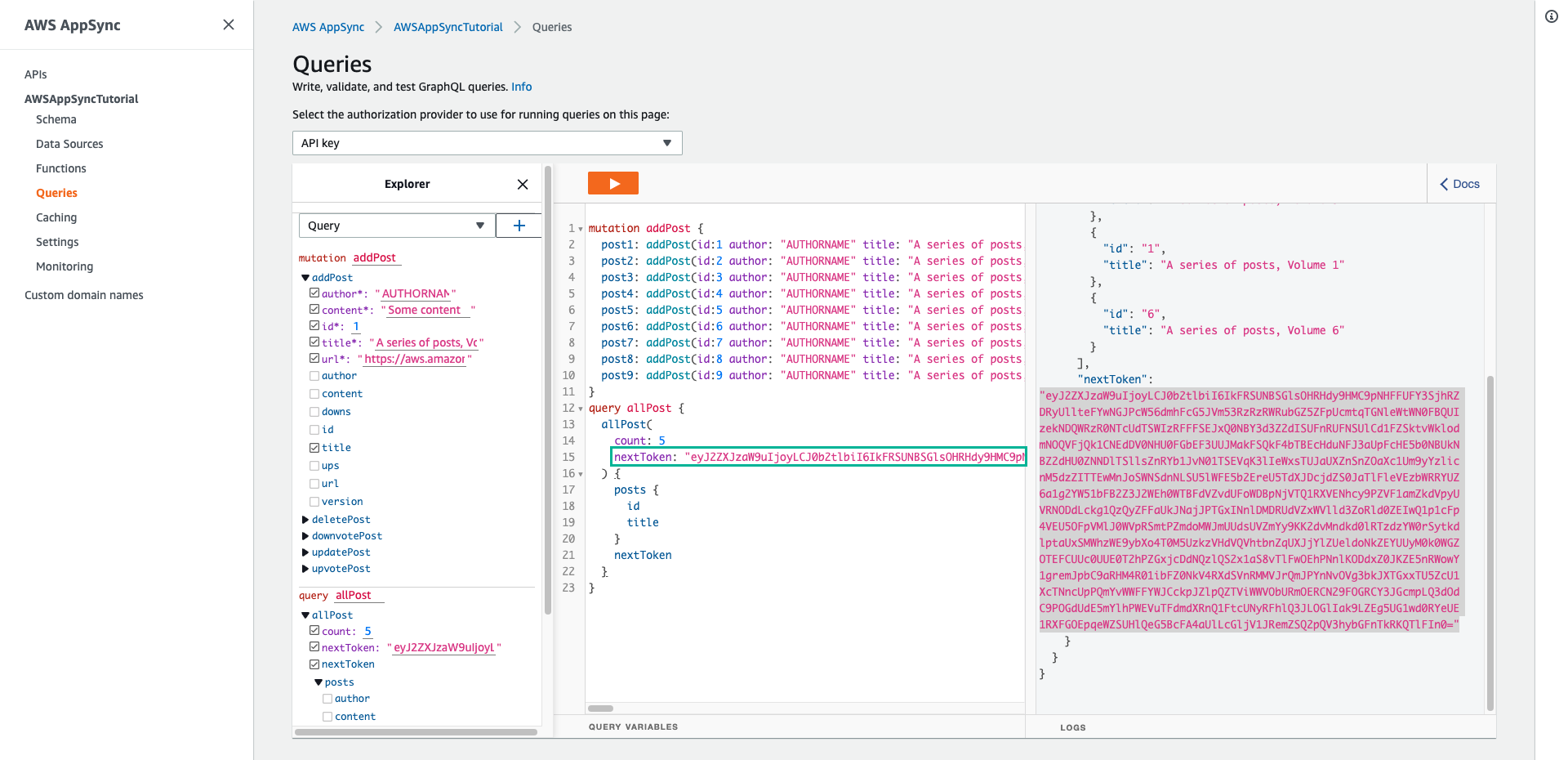
- Ấn nút Run (biểu tượng Play màu cam) lần nữa để xem các bài đăng tiếp theo.
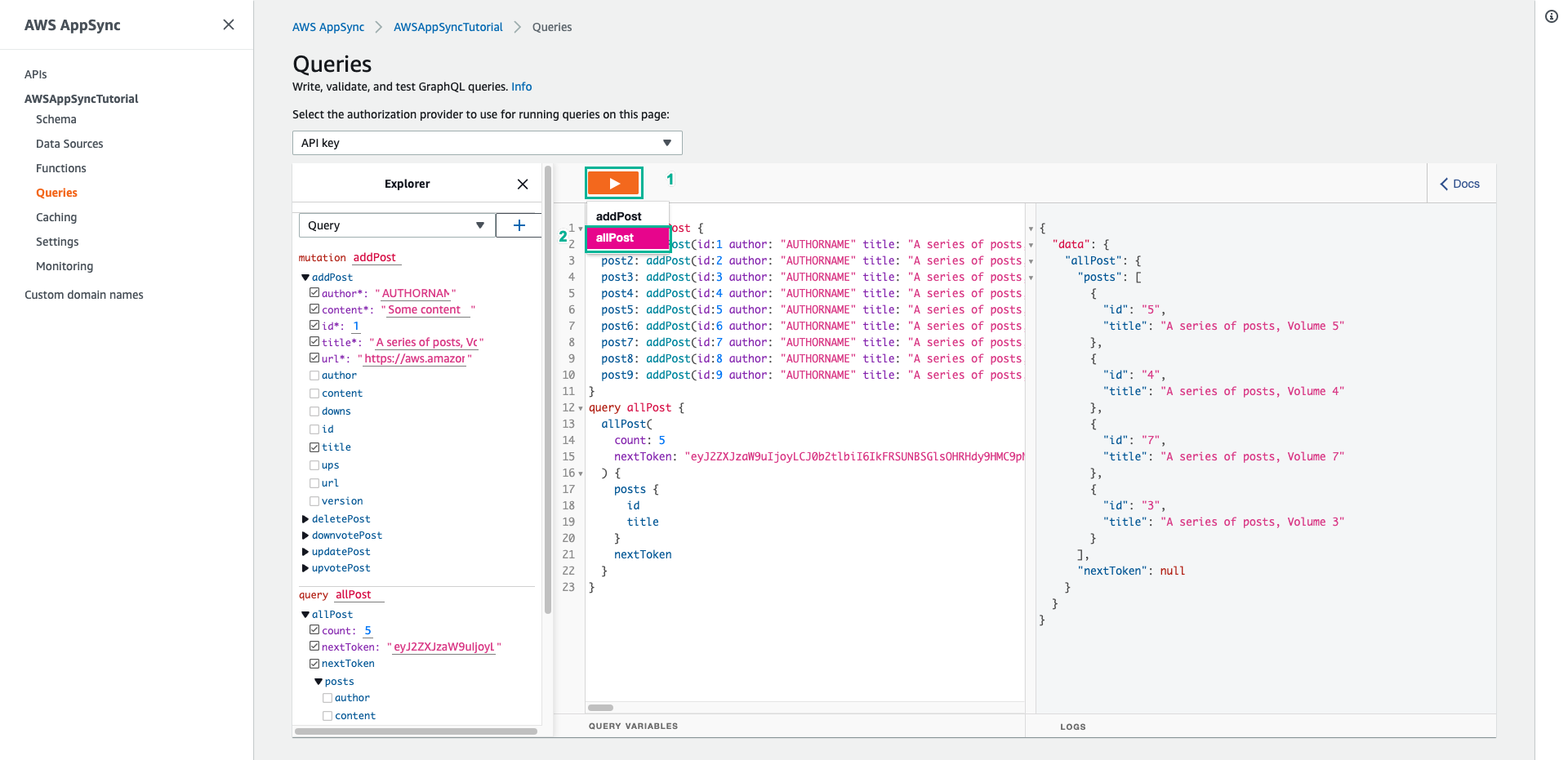
Vậy là bạn đã quét toàn bộ bảng mỗi lần trả về số lượng mà bạn mong muốn.